
How to Create a Lean Canvas for Your Business
When the idea of starting a business emerges, one of the first strategic steps is to structure the Lean Canvas. It helps transform an intuition into something concrete, visual, and easy to understand.
Where to Start
When the idea of starting a business emerges, one of the first strategic steps is to structure the Lean Canvas. It helps transform an intuition into something concrete, visual, and easy to understand. With Vibz, this process is simple, fast, and evolutionary — you can create your Lean Canvas in minutes and continuously refine it.
Generating Your Lean Canvas with AI
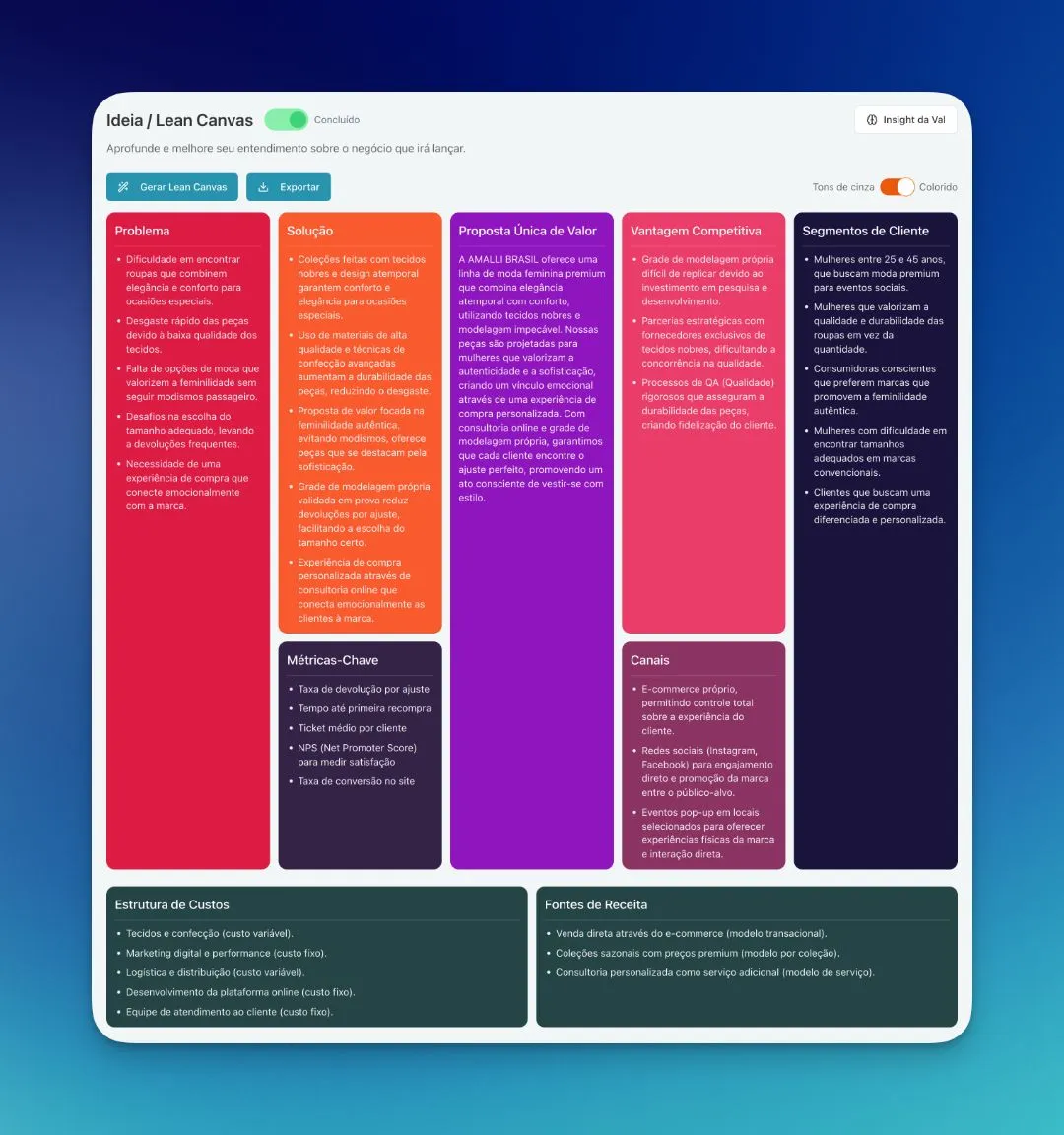
Vibz allows you to automatically generate your Lean Canvas with the support of artificial intelligence. This generation uses the initial information you provided when registering your business. The clearer and more complete this information is, the more consistent and surprising the generated result will be.
After the initial generation, you can freely adjust everything. Each of the nine blocks can be revised to accurately reflect the business model you are building.
Editing Each Block
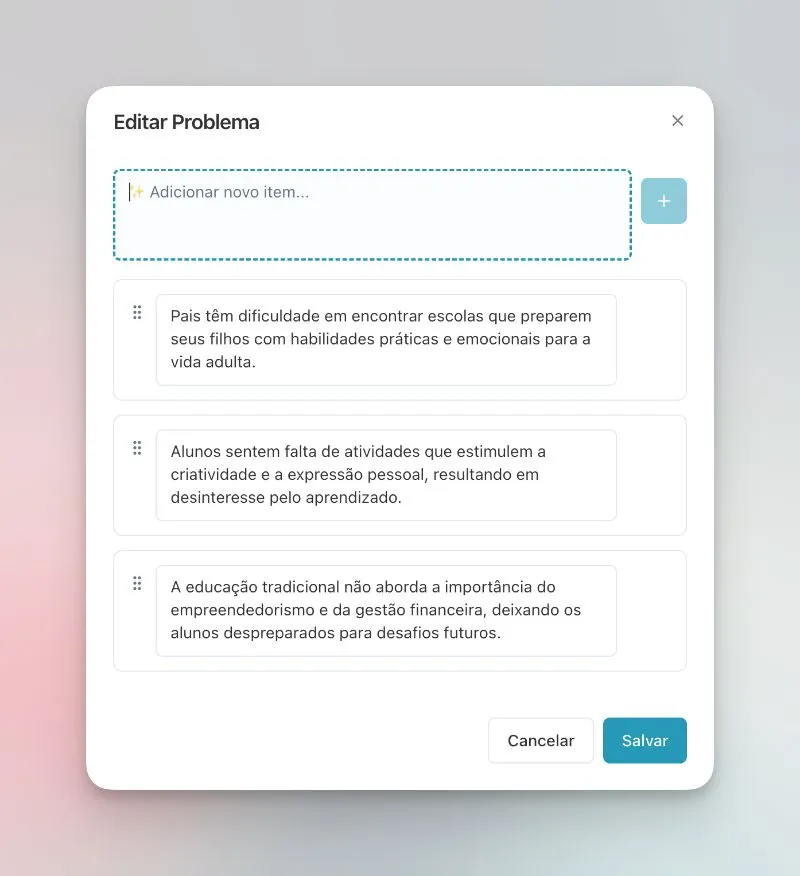
To edit any element, simply click on the desired field. A window will open, allowing you to include new items, adjust texts, reorganize the order, or delete what no longer makes sense. You have total flexibility to adapt the Lean Canvas to your business's current stage.
Viewing Modes
You can switch between color and grayscale views, choosing the mode that best suits your reading or presentation. This change is instant and does not alter the content.
Exporting Your Lean Canvas
When you are satisfied with the result, Vibz allows you to export the Lean Canvas as a PNG or PDF file. This way, you can share it with partners, mentors, investors, or include it in your business plan.
The Lean Canvas is a living document: review, refine, and track the evolution of your business model as new information emerges.
Tags